REDUCE, REUSE and RECYCLE

How to Maintain Earth’s Health?

Waste is anything that we get rid of, throw away or do not use. While some items inarguably cannot be used again, many are tossed before their time. Others are unnecessary – such as petroleum-based plastic bags, which choke the environment and kill wildlife, even though we now have access to much better alternatives.

Today, waste is a huge problem, affecting every part of our environment, from our waterways to our atmosphere, our grassy fields to our forests, our plants to our people. If we want to make an impact in the fight against waste and pollution, one of the best things we can do is ensure kids get these lessons young. Whether you’re a teacher or a parent or a concerned kid yourself, here’s a basic rundown of “reduce, reuse, recycle” and tips you can implement today.

3 Ways on How to Save Mother Earth

1.) Reduce

“Reduce” is not necessarily the easiest step, though you might think so. While it seems simple to just buy less, we humans can be very set in our ways, relying heavily on products to which we are loyal. To truly implement this step, it’s important to cast a critical eye on what we use, and ask: What could we do better? What don’t we need? What is made of a harmful substance, and can be replaced with something less harmful – or eliminated altogether? 

To reduce food waste, start a compost pile in the backyard. That way, instead of heading to landfill where it won’t decompose for hundreds of years, food gets a second life as rich soil the following season – a great fertilizer. You can then use your garden to grow food, and avoid having to buy fruits and vegetables that come in packaging.

One final idea for reducing is to stop using plastic altogether, as well as paper, which isn’t much better for the environment than plastic. Make sure you always have your reusable bags in the trunk when you go to the store with your parents. You can even start up a fundraiser for your school or church using custom imprinted reusable shopping bags with a logo of your choice!

2.) Reuse
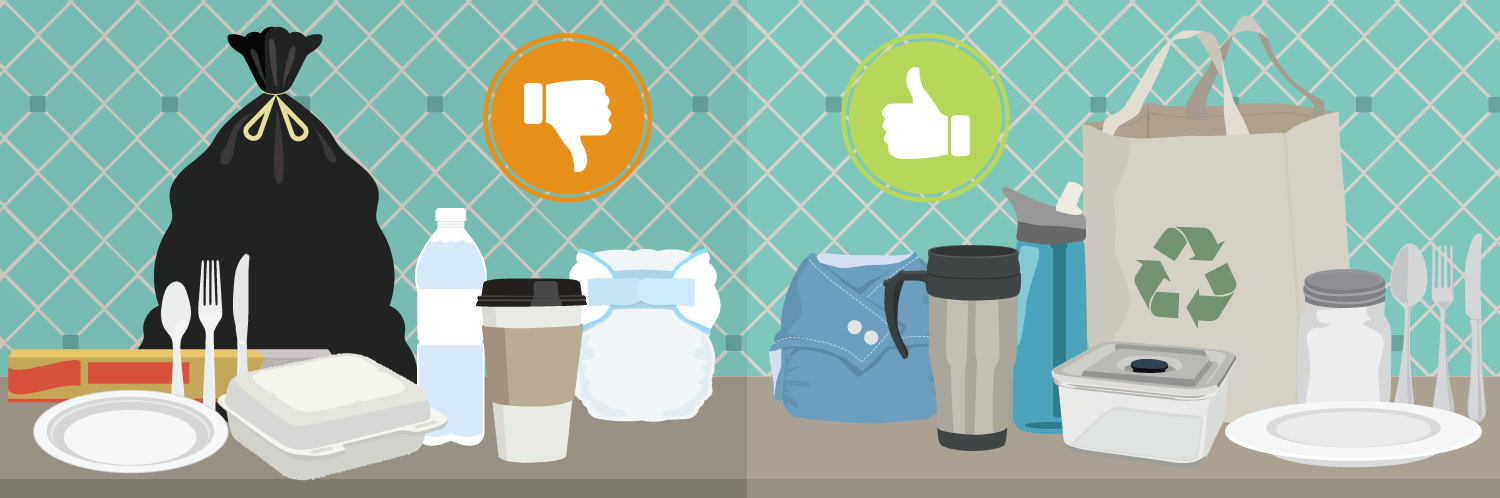
Instead of throwing things away that you might not use anymore, why not give them to someone else? For example, if you outgrow your clothes, you might have a younger sibling or friend that would be able to use them instead of just throwing them in the garbage. You can also reuse items like cups and plates instead of using disposables.

There exist tons of other ideas for how to reuse items as well. For instance:

  • Turn broken crayons into pretty candles to give to teachers, family members or just keep in your room.
  • Use old jars as tea light holders for special events.
  • Buy reusable lunch containers and use those instead of plastic wrap or disposable baggies.
  • Stop throwing out old and mismatched socks, and instead make a fuzzy sock snake that you or another kid will love cuddling.
  • Turn used paper into art supplies or scrap paper for making shopping lists.

Also, make sure you are “reusing” any item that still has life in it. If a toy, piece or furniture or item of clothing can be fixed, do it, and then use it again.

One of the easiest ways to reuse what we already have is to look to our bag closet. Most of us carry home bags from the grocery store several times a week. If you can replace your plastic consumption with just 6-8 reusable bags, you won’t have to think about it again for a year or more. At the least, when you bring home paper or plastic bags, make sure you dry them out, fold them up and bring them back to the store with you next time.

3.) Recycle

 Image result for recycle

Sometimes, you can’t find a second use for something, and that’s okay. If an item truly is waste, and you can’t cut that item out of your life in the first place, it’s time to recycle. Think cereal boxes or beverage containers, for instance: Some of them simply don’t have a better alternative, and you don’t want to stop eating those things for good. That’s where recycling comes in.

Below are some important facts about recycling:

Image result for facts about recycling

In a nutshell, recycling is when you use the raw materials from something to make something else. For instance, the glass, metal and paper from bottles, cans and cardboard can be used to make other products. When you recycle these items so that they can become new items, you help reduce the energy used to make new items as well as the raw materials we need to extract from the Earth.

Plus, you might be surprised to learn that recycled products can be used to make all kinds of things. A recycled soda bottle can be used to make lots of different plastic items like combs, toothbrushes, fleece jackets, or even recycled plastic bags and totes to support school functions or drives.

Check out the list of some of the many items that can be recycled below:

  • Cardboard

  • Aluminum cans

  • Paper

  • Newspaper

  • Plastic bottles

  • Plastic Bags

  • Metal

  • Magazines

  • Glass bottles and jars

For people in the future to be safe, it is important that the planet is taken care of and the environment remain intact now. When you practice the Three Rs of Waste Management, you are doing your part to make the world a healthy and safe place to live. You can do your part by implementing as many of the above tips as possible, and reporting back to us on what worked. When you have success with the above steps, or find tips of your own, be sure to pass them along to kids and grownups alike.
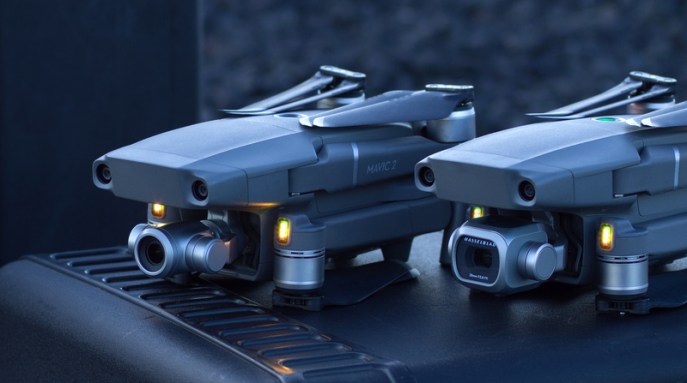
2 Zoom or 2 Pro? DJI drones redefined.

dsgsdgegreMavic 2 Series Features Two Industry First Camera Options With New Intelligent Features And Optimized Flight Performance
DJI, the world’s leader in civilian drones and aerial imaging technology, today introduced a new era for camera drones with two additions to its iconic Mavic series: Mavic 2 Pro, the world’s first drone with an integrated Hasselblad camera, and Mavic 2 Zoom, the world’s first foldable consumer drone with optical zoom capability.

The Mavic 2 is the most advanced DJI camera drone ever built, designed for professionals, aerial photographers and content creators. Incorporating the iconic folding design of the world’s most popular Mavic Pro, the Mavic 2 is a powerful platform with new gimbal-stabilized cameras and advanced intelligent features like Hyperlapse and ActiveTrack for easier and more dynamic storytelling. With an impressive flight time of up to 31 minutes and a more stable video transmission system, Mavic 2 delivers the optimal flight experience for capturing epic shots.

“When the Mavic Pro was launched two years ago, it redefined the way people looked at a drone and expanded possibilities for creators around the world,”said Roger Luo, President at DJI. “Today, we enter a new era of aerial photography with the introduction of DJI’s new flagship product, the Mavic 2 series. The Mavic 2 Pro and Mavic 2 Zoom will enable photographers and videographers to take their inspirations to the air quickly and elevate their creative ideas to new heights.”


Mavic 2 Pro: Superior Image Quality with Hasselblad

Co-engineered in partnership with Hasselblad, the world’s leader in medium format photography, the Mavic 2 Pro is the world’s first drone with an integrated Hasselblad camera for outstanding image quality with superior light and color performance. Housing a 1-inch CMOS sensor with a 10-bit Dlog-M color profile, the camera captures four times as many levels of color per channel compared to Mavic Pro to provide maximum flexibility for photo and video editing. The Mavic 2 Pro can capture 20-megapixel aerial shots with utmost color accuracy using Hasselblad’s unique Hasselblad Natural Color Solution (HNCS) technology, while an adjustable aperture from f/2.8-f/11 provides more control across a wide variety of lighting conditions. With 4K 10-bit HDR support, the Mavic 2 Pro can be plugged into a 4K TV with HLG and will play back footage with the right color tones.


Mavic 2 Zoom: A Dynamic Perspective with Optical and Digital Zoom

Powered by a 1/2.3-inch CMOS sensor, the Mavic 2 Zoom is DJI’s first foldable consumer drone with zoom, providing a dynamic perspective that ushers in a new era of creative storytelling. With the Mavic 2 Zoom, you can get closer to your subject at a moment’s notice by combining two-times optical zoom (24-48mm) with two-times digital zoom to simulate a 96mm telephoto lens that captures lossless video in full HD resolution. Hybrid auto-focus on the Mavic 2 Zoom combines phase and contrast detection for higher focus accuracy with an increased focus speed of up to 40% faster than before. Shoot vivid 12-megapixel photos or take advantage of the new Super Resolution feature that uses optical zoom to automatically capture and stitch nine photos together for a highly detailed 48-megapixel image, making it an ideal option for landscape photography.

Exclusive to the Mavic 2 Zoom, the new Dolly Zoom QuickShot mode opens a new visual language for storytelling that was previously reserved for professional cinematographers. It creates an otherworldly warped perspective by automatically zooming in as it flies away from its subject, keeping the subject the same size while the full background of the scene is revealed.


Mavic 2 Series: DJI’s New Flagship Consumer Drone with Powerful Camera Options

Both cameras capture vivid 4K ultra-high definition video with extreme detail, recording at a maximum bitrate of 100 megabits per second using the H.265 compression codec to give you an exceptional degree of latitude in post-production workflows. For photographers, new Enhanced High Dynamic Range capabilities blend a sequence of photos for ghost-free high dynamic range, giving the Mavic 2 Pro an impressive 14 stops of dynamic range and Mavic 2 Zoom up to 13 stops.

New Intelligent Tools For Epic, Cinematic Shots

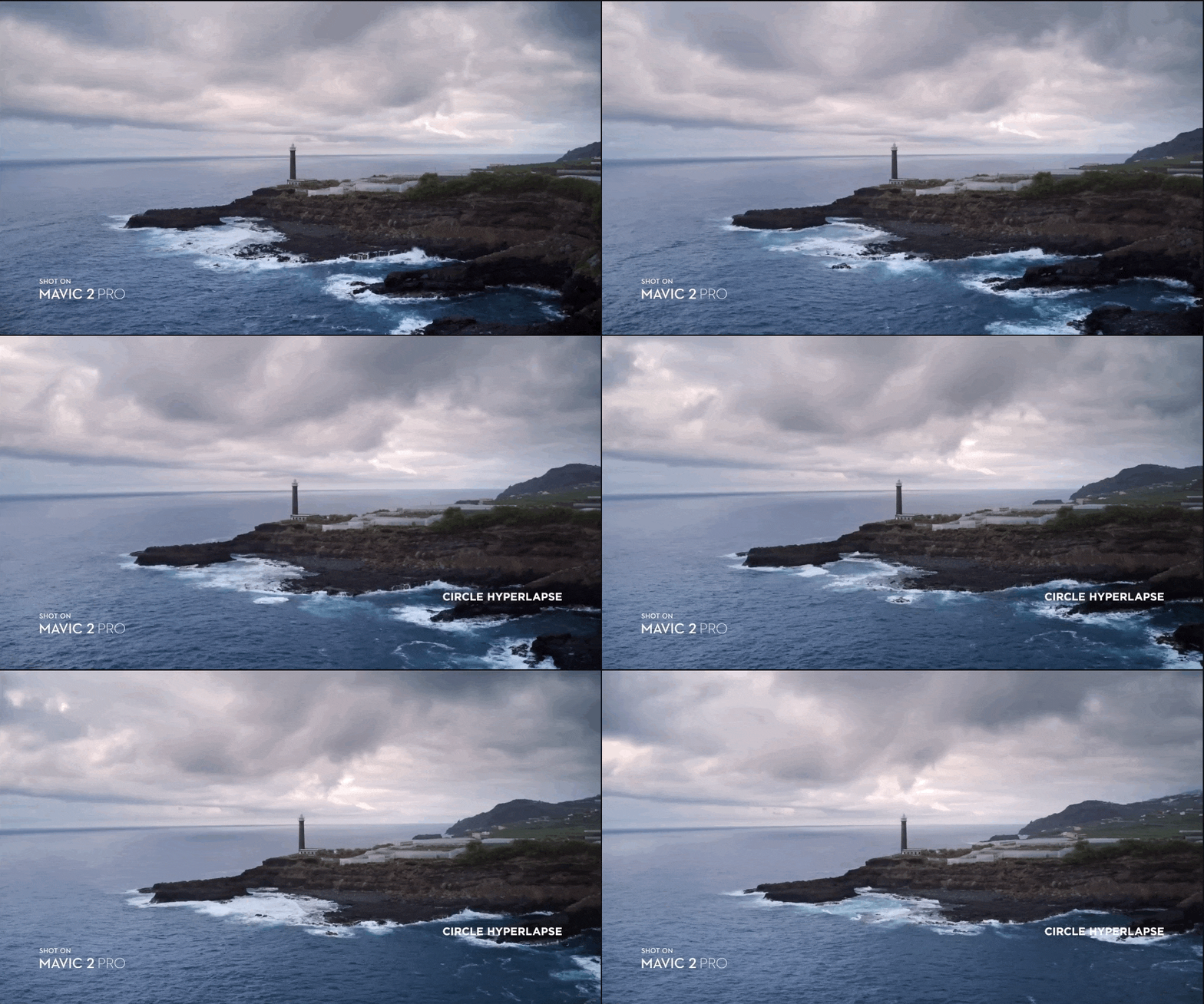
The Mavic 2 is the ultimate tool for aerial content creation with new intelligent flight modes that make capturing professional-quality results almost effortless. A new Hyperlapse feature produces establishing shots that show the passing of time, which you can share to social media immediately. JPEG and RAW photos can be simultaneously saved on a Micro SD card or the internal storage, leaving more room for post editing. Choose between Circle, Course Lock, Waypoint or Free mode to create timelapses with a simple tap of a button in the DJI GO 4 Mobile App:

  • Free – pilots the drone manually while shooting a Hyperlapse video.
  • Circle – automatically flies the drone in a circular pattern around a subject you select to create a timelapse video that captures the action.
  • Course Lock – keeps the camera fixed on shooting subject while the drone flies in a straight direction to create a unique perspective.
  • Waypoint – plans a complex flight path based on both altitude and GPS coordinates to capture complex shots.

Keeping a moving subject in the frame is now easier than ever with ActiveTrack 2.0. This enhanced auto-track feature delivers a powerful combination of autonomous tracking and obstacle sensing capabilities never before seen in a DJI drone. Using the main camera and the front dual vision cameras, the Mavic 2 creates a three-dimensional map of the area in front of it, and uses new trajectory algorithms to analyze motion and predict the subject’s path up to three seconds in the future. When tracking a target, the Mavic 2 can recognize and avoid obstacles while shooting your target without interruption. It can stay on target, even if your subject momentarily goes behind an obstacle, and can track the subject at higher speeds of up to 44 mph (72 km/h).

Safer, Smarter and Stable Flight

The Mavic 2 delivers autonomous flight capabilities that help you capture shots with even more confidence in complex environments. A fully upgraded FlightAutonomy system transmits data to a more powerful central processor for more accurate obstacle sensing and safer flight. For the first time ever in a DJI drone, Mavic 2 has 10 sensors on all sides of the aircraft to automatically detect obstacles in its path and help prevent collisions, allowing you to focus on capturing the perfect shot.

An improved Advanced Pilot Assistance System (APAS) allows the aircraft to analyze its surrounding environment and automatically fly around obstacles without stopping. In addition, the Mavic 2 has a Bottom Auxiliary Light that turns on automatically to ensure safe and precise landings in low-light situations.

A newly designed OcuSync 2.0 video transmission system enables a more stable connection between the drone and its remote controller. The system features stronger interference resistance and auto-switching capabilities that supports both 2.4 GHz and 5.8 GHz frequency bands with the capability to use different frequencies for uplink and downlink data streams. It delivers 1080p video transmission feeds at a distance of up to 8km, allowing you to instantly edit and upload Full HD footage directly from the video cache in the DJI app in a wider variety of situations. Original resolution photos in JPEG can be saved directly to your mobile device, so you can immediately share what you create without the need to transfer files from the drone.

Aerodynamic Design and Extended Flight Time

The Mavic 2 ‘s redesigned, more aerodynamic airframe reduces body drag by up to 19% compared to the Mavic Pro, allowing the Mavic 2 to fly at speeds of up to 44 mph (72 km/h) in Sport mode. Combined with a more efficient, quieter propulsion system and noise reducing propellers, the Mavic 2 has a maximum flight time of up to 31 minutes.

To ensure crisp photos and smooth, shake-free footage, the Mavic 2 houses an ultra-precise three-axis mechanical gimbal to stabilize its camera even during high-speed motion. Photos and videos can be saved directly to the drone using its 8 GB onboard storage. All DJI users have control over how their data is stored and managed, as part of DJI’s commitment to protecting its customers’ data.

A redesigned remote controller features detachable control sticks for ease of storage and portability. The Mavic 2 is compatible with DJI Goggles with the gimbal (yaw) control range up to -75°–– +75° in Head Tracking mode, offering users a more immersive FPV flight experience.


References:

https://www.dji.com/newsroom/news/dji-introduces-mavic-2-pro-and-mavic-2-zoom